Blog
How to Reduce No-Results Searches in Your Store
What Is a No-Results Search?
A no-results search — sometimes called a "zero results" search — occurs when a shopper submits a query to your store's search engine and the engine returns no matching products. The shopper sees an empty page, a "no results found" message, and nothing else.
This is one of the most damaging moments in a shopping session. The shopper arrived at the search bar with a clear intent: they wanted something specific. The engine failed to connect them to it. The natural response is to leave — either to try a competitor or to give up entirely. The no-results page has one of the highest bounce and abandonment rates of any page in a typical store.
Reducing the no-results search rate is therefore one of the highest-return optimisation activities available to a store owner. The good news is that most no-results searches are fixable with a small amount of ongoing effort.
How to Find Your No-Results Queries
The first step is visibility. You need to know which queries are producing no results, how often they occur, and whether they represent genuine catalogue gaps or just terminology mismatches.
Search Sight's no-results analytics report gives you this data directly in the dashboard. It shows every query that returned zero results, along with the frequency. This turns an abstract problem — "our search sometimes fails" — into a specific, prioritised action list.
If you are not yet on a dedicated search platform, you may be able to access this data through your platform's built-in analytics or through Google Analytics site search tracking, though the data will be less granular.
The Four Main Causes of No-Results Searches
Understanding why no-results searches happen helps you choose the right fix for each case.
1. Terminology Mismatch
The shopper used different words for the same product. Your catalogue says "sofa"; they searched for "couch". Your catalogue says "trainers"; they searched for "sneakers". Your catalogue says "torch"; they searched for "flashlight".
This is the most common cause of no-results searches and one of the easiest to fix. The solution is synonyms: a dictionary that maps the shopper's term to the catalogue term. A good synonym rule for "couch" to "sofa" means every future query for "couch" returns your sofa range.
2. Poor Typo Tolerance
The shopper made a spelling mistake — a near-universal human behaviour, especially on mobile. "Trainers" becomes "trainers", "trianers", or "traienrs". Without typo tolerance, all three variants return nothing.
This is fixed at the search engine level, not the content level. A fuzzy matching system automatically handles edit-distance variations without requiring any per-word configuration.
3. Genuine Catalogue Gap
The shopper searched for a product type or brand that you genuinely do not stock. "Nike Air Max" returns nothing because you do not carry Nike. "Vegan leather handbag" returns nothing because your handbag range is all genuine leather.
These are not bugs — they are honest catalogue gaps. The right response is not to fake results, but to handle the no-results page well (see below) and, if the query appears frequently, to consider whether the gap represents a stocking opportunity.
4. Overly Specific Queries
The shopper included constraints that filtered down to zero products even though you stock relevant items. "Red size 8 Chelsea boot under £60" might return nothing because the specific combination of colour, size, and price does not exist in your range, even though you stock Chelsea boots.
This is harder to fully solve, but partial query matching and result broadening — showing the best available match rather than nothing — is a well-established approach. Some search engines can automatically relax constraints when a fully matching result set would be empty.
How to Fix No-Results Searches Systematically
The most effective process is a regular review of your no-results report, categorising each query and applying the appropriate fix.
For terminology mismatches: add synonym rules. Most search platforms, including Search Sight, let you add synonyms directly from the dashboard. Add bidirectional synonyms (so both directions are covered) and one-way synonyms (for brand names or slang that should map to a canonical term). Review the top 20 no-results queries monthly and handle them.
For typo tolerance issues: check that your search engine's fuzzy matching is enabled and calibrated appropriately. A two-character edit distance handles most common typos without producing false positives.
For catalogue gaps: treat high-frequency genuine gaps as buying signals. If 200 shoppers per month search for a product type you do not stock, that is market demand data worth acting on.
For overly specific queries: implement a "best match" fallback that shows the closest available products with a message explaining why a perfect match was not found. This is far better than an empty page.
Improving the No-Results Page Experience
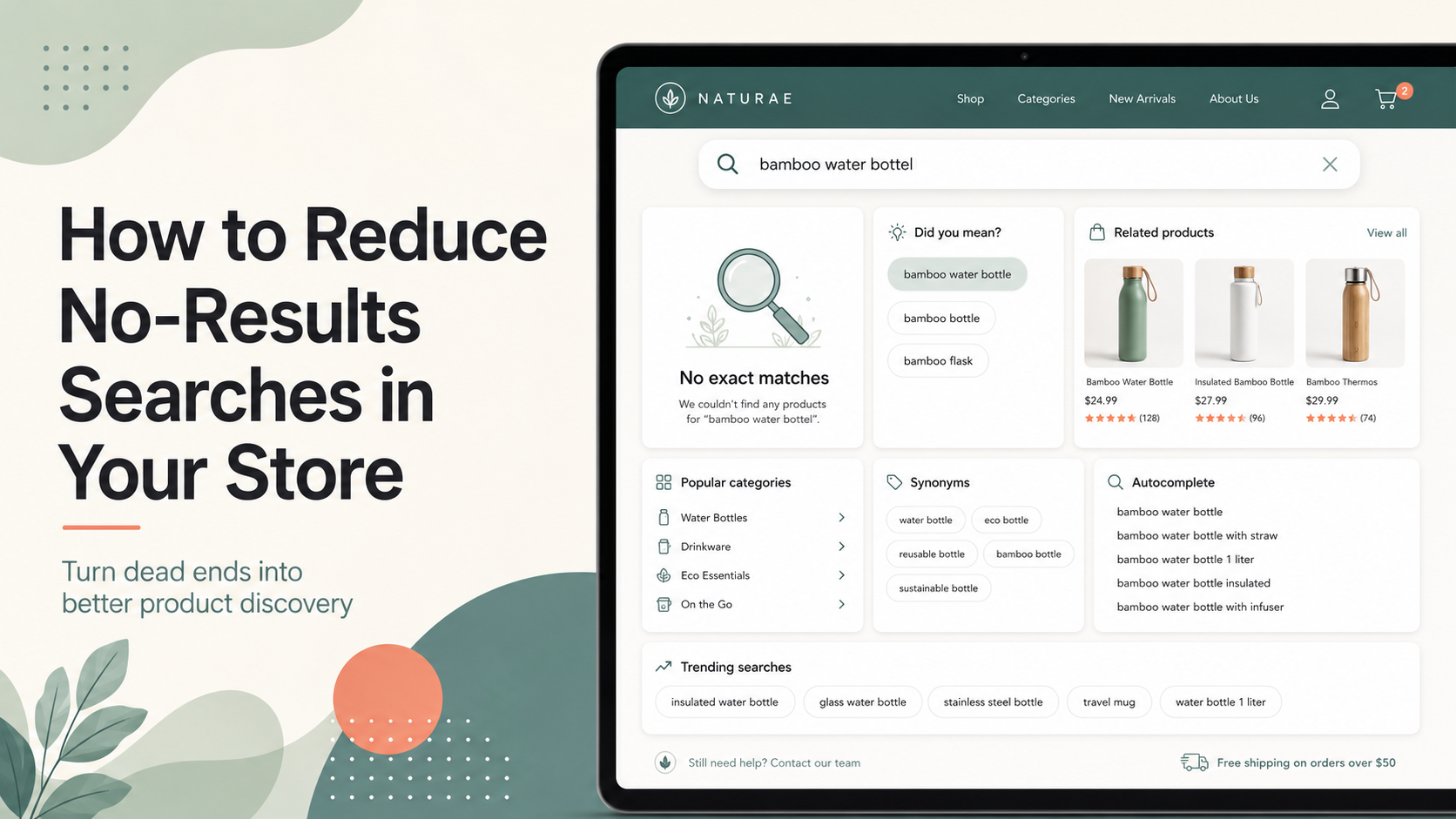
Even with the best synonym configuration and typo tolerance, some searches will still return nothing. When they do, the no-results page should:
- Acknowledge the failure directly — "We could not find results for [query]."
- Offer helpful suggestions — popular products, top categories, or a link to browse all products.
- Provide an easy path to human help — a link to live chat or a contact page.
- Show search suggestions — "Did you mean...?" alternatives if the engine can identify likely alternatives.
A well-designed no-results page converts some of the shoppers who would otherwise bounce. It also reduces the negative association with your brand caused by hitting a dead end.
Tracking Improvement Over Time
After implementing synonym rules and other fixes, monitor your no-results rate over time to confirm the improvement. The target rate depends on your catalogue size and traffic patterns, but directionally: any reduction in no-results rate achieved by fixing real query failures is directly recoverable revenue.
For the broader context of ecommerce site search, see the ecommerce search hub. For best practices across the full search experience, see Ecommerce Site Search Best Practices.
Start your free 14-day trial and get access to the no-results analytics report that makes this entire process actionable.