Blog
WooCommerce Faceted Search and Product Filters Explained
What is WooCommerce faceted search?
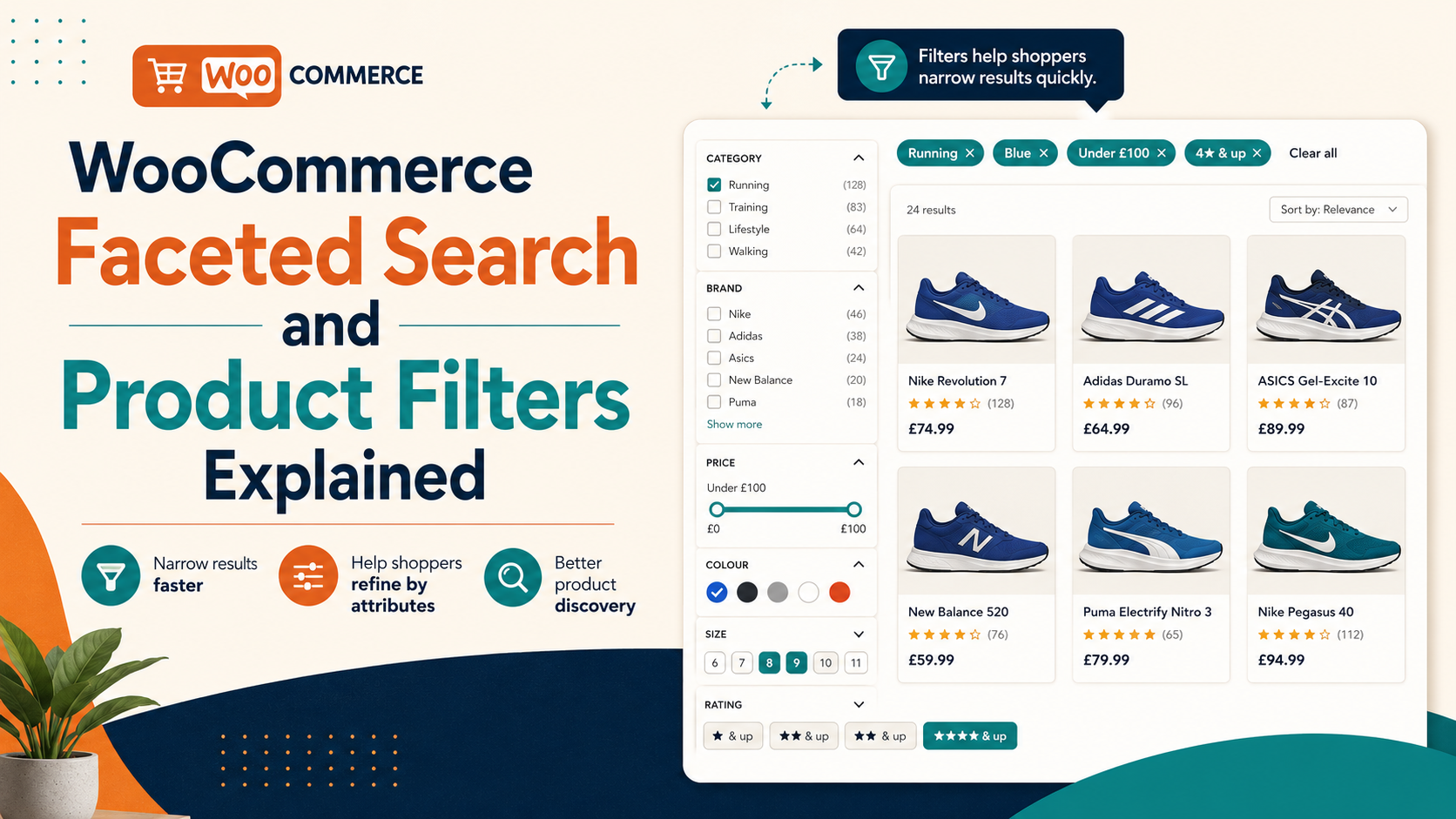
WooCommerce faceted search is a system that combines a text search bar with interactive filters — called facets — on the results page. After a shopper types a query, they can narrow the results by selecting categories, attribute values (colour, size, material), price ranges, ratings, or other product properties without starting a new search.
The key distinction from standard search: the filters are dynamic. They update in real time to show only the options that exist within the current result set. If you search "shoes" and filter by "blue", the size facet shows only the sizes available in blue shoes — not all sizes in your catalogue.
Faceted search is the standard on major ecommerce platforms. It significantly improves the experience for shoppers browsing a large catalogue because it allows progressive refinement rather than requiring perfect initial queries.
Does WooCommerce include faceted search by default?
No. WooCommerce does not include a faceted search results page by default. The native search returns a standard WordPress archive page with no dynamic filters. You get a list of matching products, but no way to narrow them without typing a new query.
WooCommerce does include a basic product filter widget set (Filter by Price, Filter by Attribute, Filter by Rating), but these are sidebar widgets designed for category browse pages — not integrated with the search results page, and not dynamically updated based on search results.
The difference between browse filters and search facets
Browse filters (WooCommerce's built-in widgets) work on a static product collection — for example, all products in the "Jackets" category. They filter by reloading the page with new URL parameters.
Search facets work on a dynamic result set — the output of a specific search query. They must:
- Recalculate available filter options after every change to the query or filter selection
- Show counts next to each facet value (e.g. "Blue (12)")
- Update results without a full page reload
This requires a more sophisticated architecture than simple page reloads with query string parameters. It is the main reason native WooCommerce does not provide it — building it properly requires a dedicated search engine with facet aggregation built in.
How Search Sight implements faceted search
Search Sight replaces the WooCommerce search results page with a custom faceted results page that includes:
- Attribute filters: automatically generated from your product attributes (colour, size, material, brand — whatever you use). Displayed as checkboxes or dropdowns.
- Price slider: a range slider for filtering by minimum and maximum price. Updates the results and other facet counts in real time.
- Category filter: narrows results to products in a specific category or subcategory.
- Sort options: relevance (default), price low-to-high, price high-to-low, newest.
All filters update the results page via AJAX without a full page reload. Facet counts update to reflect the narrowed result set, so shoppers always know how many products match each combination.
Setting up faceted search on WooCommerce
- Sign up for Search Sight and start your 14-day free trial.
- Download the WooCommerce connector at sign-up, then upload and activate the plugin ZIP in WordPress (Plugins > Add New > Upload Plugin).
- Run an initial index from the Search Sight dashboard. The indexer records your product attributes, categories, and price ranges.
- The faceted results page replaces WooCommerce's default search results page automatically.
No template editing or shortcode setup is required. The results page inherits your theme's header and footer, so it fits your site's design.
Configuring which attributes appear as facets
By default, Search Sight surfaces all global product attributes as filter facets. You may want to hide attributes that are not useful as filters — for example, a "Material composition" attribute used for compliance purposes but not useful to shoppers as a filter.
In the Search Sight dashboard, you can choose which attributes appear as facets and set their display order. Attributes used only for internal purposes can be excluded from the filter panel without affecting their inclusion in the search index.
Price slider and currency considerations
The price slider uses your WooCommerce store's configured currency. Prices shown include any active WooCommerce sale prices. If you use a currency switcher plugin, the price slider reflects the currently selected currency.
The slider range is dynamic — it sets its minimum and maximum to the lowest and highest prices within the current result set, not your entire catalogue. This means a shopper searching "premium watches" sees a price range relevant to that query.
Faceted search and SEO
A common concern with faceted search is the creation of large numbers of URL combinations that can confuse search engines. For example, every combination of filters could theoretically generate a unique URL.
Search Sight's faceted results page uses URL parameters in a way that follows Google's guidance for faceted navigation. Filter selections are appended as query parameters (e.g. ?color=blue&size=M), and the page includes appropriate canonical tags so search engines understand the primary URL. You can also configure whether filter combination pages should be indexable or noindexed depending on your SEO strategy.
Faceted search performance
Because Search Sight runs on dedicated hosted infrastructure, faceted filtering does not add load to your WordPress server. Each filter change sends a lightweight API request to the Search Sight index, which returns updated results and facet counts in under 50 milliseconds. Your WooCommerce database is not queried during filtering.
This matters on stores with large catalogues — a faceted filter query against a large WordPress database can take several seconds, which is noticeable. With a dedicated search backend, filtering stays fast regardless of catalogue size.
Faceted search and conversion rate
Faceted search consistently improves conversion rates compared to text-only search. The reason is simple: shoppers who can narrow down a set of results to exactly the type of product they want are closer to a buying decision than shoppers who have to navigate manually. The fewer steps between "I want a blue size-M jacket under £80" and the add-to-cart button, the more of those shoppers complete a purchase.
Data from ecommerce analytics platforms consistently shows that sessions involving site search convert at two to three times the rate of non-search sessions. Faceted filtering takes that advantage further by reducing the cognitive load of choosing from a large result set.
Faceted search for category pages (not just search results)
While this guide focuses on the search results page, faceted filtering can also be applied to category browse pages — the pages shoppers land on when clicking a menu category like "Women's Shoes". Applying the same attribute filters and price slider to category pages creates a consistent experience whether shoppers arrive via search or browse.
Search Sight's faceted filtering is primarily designed for the search results context, but the same underlying product index powers category-level filtering if you choose to implement it.
Related guides
- WooCommerce Search by Category and Attributes — how attribute data is indexed for search and filtering
- How to Customise the WooCommerce Search Results Page — controlling the layout and content of search results
Start your free 14-day trial and add a professional faceted search results page to your WooCommerce store.