Blog
How to Add Typo-Tolerant (Fuzzy) Search to WooCommerce
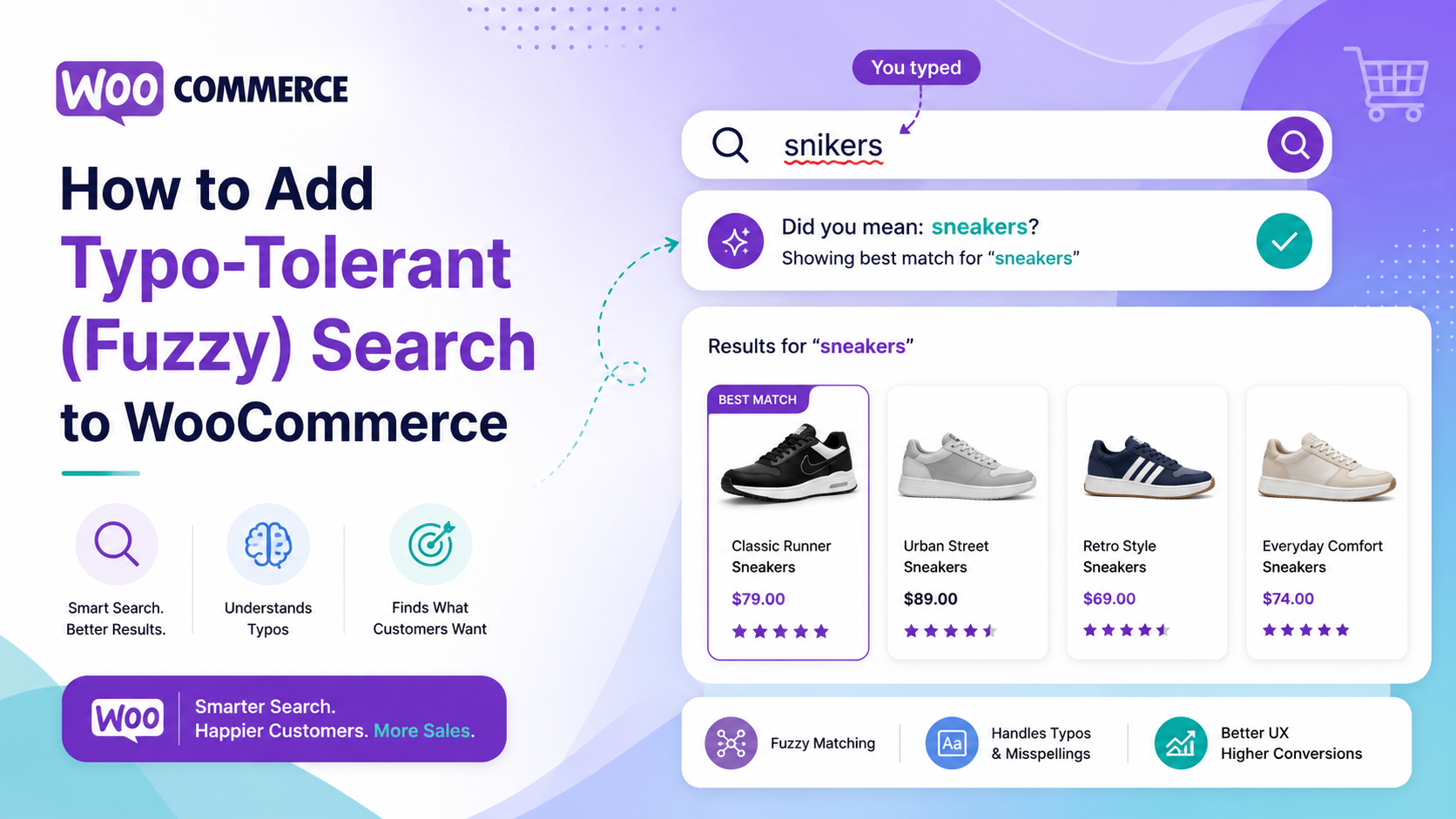
What is WooCommerce fuzzy search and why does it matter?
WooCommerce fuzzy search — also called typo-tolerant search — means your store returns relevant products even when shoppers make small spelling mistakes. A shopper typing "shampoo" as "shampo" or "running shoes" as "runing shoes" should still find what they are looking for. Without fuzzy matching, those queries return zero results and the shopper leaves.
WooCommerce does not include fuzzy search by default. The built-in SQL search requires an exact match (or a substring match) against product titles and descriptions. One missing letter, one transposed character, or one extra space and the query fails.
How common are typos in ecommerce search?
Studies of ecommerce site search data consistently find that 10–20% of search queries contain at least one typo or spelling variation. On mobile devices, where fat-finger errors are more common, that figure can be higher. If your store processes any meaningful volume of searches, a significant fraction of your shoppers are quietly getting zero results right now because of typos.
The hidden cost is hard to see unless you have a search analytics dashboard — another reason why search analytics matters beyond just curiosity.
How typo-tolerant search works
The technical term for the underlying algorithm is edit distance — specifically Levenshtein distance. It measures how many single-character edits (insertions, deletions, substitutions) are needed to turn one word into another.
"Shampo" → "shampoo" requires one insertion. Edit distance = 1. "Runing" → "running" requires one insertion. Edit distance = 1. "Bluse" → "blouse" requires one substitution. Edit distance = 1.
A typo-tolerant search engine sets a tolerance threshold — typically 1 edit for short words and 2 edits for longer words — and returns results for queries within that threshold. Exact matches are ranked higher than near-matches, so the most relevant results still appear first.
More sophisticated implementations also handle:
- Transposed characters ("teh" → "the")
- Phonetic matches ("colour" → "color" for UK/US spelling)
- Prefix matching (partial words as autocomplete triggers)
The default WooCommerce search and typos
WooCommerce's built-in search uses MySQL's LIKE operator with a wildcard on each side of the search term — something like %search_term%. This catches substring matches but requires the typed characters to appear in sequence within the field. It does not calculate edit distance and it does not tolerate substitutions or missing characters.
Searching "blak dress" (one typo) with default WooCommerce will return zero results. The product titled "Black Dress" does not contain the string "blak".
Adding fuzzy search to WooCommerce with Search Sight
Search Sight uses an AI-powered search engine built on Meilisearch, which includes typo tolerance as a core feature. Every search query is automatically checked against your product index with edit-distance tolerance enabled. You do not need to configure anything — typo tolerance works out of the box from the moment you connect your store.
The tolerance levels are calibrated by word length:
- Words of 1–4 characters: exact match only (to avoid noise on short codes)
- Words of 5–8 characters: 1 edit tolerated
- Words of 9+ characters: 2 edits tolerated
This means short SKUs and codes are still precise, while natural-language product searches are forgiving of common typos.
To set it up:
- Sign up for a Search Sight account and begin your 14-day free trial.
- Download the WooCommerce connector at sign-up, upload the ZIP to WordPress (Plugins > Add New > Upload Plugin), and activate it.
- Run an initial index from the Search Sight dashboard.
- Typo-tolerant search is active immediately.
Testing fuzzy search on your store
Once you have a typo-tolerant search engine connected, run these test queries to confirm it is working:
- A product name with one letter missing ("wolen scarf" for "woolen scarf")
- A product name with one transposed letter ("jakcet" for "jacket")
- A common US/UK spelling variant if your catalogue uses one spelling ("colour" vs "color")
- A partial word that should trigger autocomplete suggestions
All of these should return relevant results with the correctly spelled product appearing first.
Fuzzy search and your zero-results rate
One of the clearest metrics for search health is your zero-results rate — the percentage of searches that return no products. For stores running the default WooCommerce search, a zero-results rate of 15–25% is not unusual. After adding typo-tolerant search, that rate typically drops significantly.
Search Sight's analytics dashboard shows your zero-results queries so you can see exactly what shoppers searched for and found nothing. Even with typo tolerance, some zero-results queries point to genuine catalogue gaps — products your shoppers want that you do not stock. That data is valuable for buying decisions.
See WooCommerce Search Not Showing Products: 12 Common Causes and Fixes for a full breakdown of why searches return no results.
Fuzzy search alongside synonyms
Typo tolerance handles accidental mistakes. Synonyms handle intentional alternative terms — a shopper typing "sofa" when your products are listed as "sofas", or "joggers" when you use "jogging bottoms". Both mechanisms are needed for comprehensive search coverage.
Search Sight includes both typo tolerance and a synonyms editor so you can define one-way and two-way synonym relationships. See WooCommerce Search Synonyms and Redirects: Capture More Sales for how to set up synonyms.
Typo tolerance on mobile search
Mobile shoppers type on small keyboards and are more prone to typos than desktop users. Auto-correct on mobile devices can also introduce unexpected substitutions — a shopper trying to type a specific product name may have it autocorrected to a different word entirely. Typo-tolerant search catches both genuine typing errors and the secondary effects of mobile auto-correction.
If a significant portion of your traffic comes from mobile (as is the case for most WooCommerce stores today), typo tolerance is particularly important. The zero-results experience on mobile — a blank page with no feedback — is even more frustrating on a small screen where the shopper has limited patience for navigating back and retrying.
How typo tolerance affects your conversion rate
Fewer zero-results searches means more shoppers reaching product pages. More shoppers on product pages means more add-to-cart events. The conversion uplift from adding typo tolerance varies by store, but the mechanism is straightforward: you are converting searches that previously returned nothing into searches that find the right product.
For stores where search is a primary navigation tool — particularly those with large catalogues or specialist products — this can be one of the highest-return technical changes you make. The investment is low (a few minutes of setup) and the ongoing maintenance is zero, since typo tolerance works automatically.
Related guides
- WooCommerce Search Not Showing Products — diagnosing zero-results issues
- WooCommerce Search Synonyms and Redirects — complementary to typo tolerance
Start your free 14-day trial and eliminate zero-results from typos on your WooCommerce store today.